AI
How to use AI at work: hand over real tasks, not just questions
Hand over the work. Keep the judgement. That is how to use AI at work: give it one recurring job that ends in a file. Brief it in five parts: context, steps, what done looks like, when to stop, and how to check itself. Then trace three numbers to their source before it carries your name.

· 10 min read
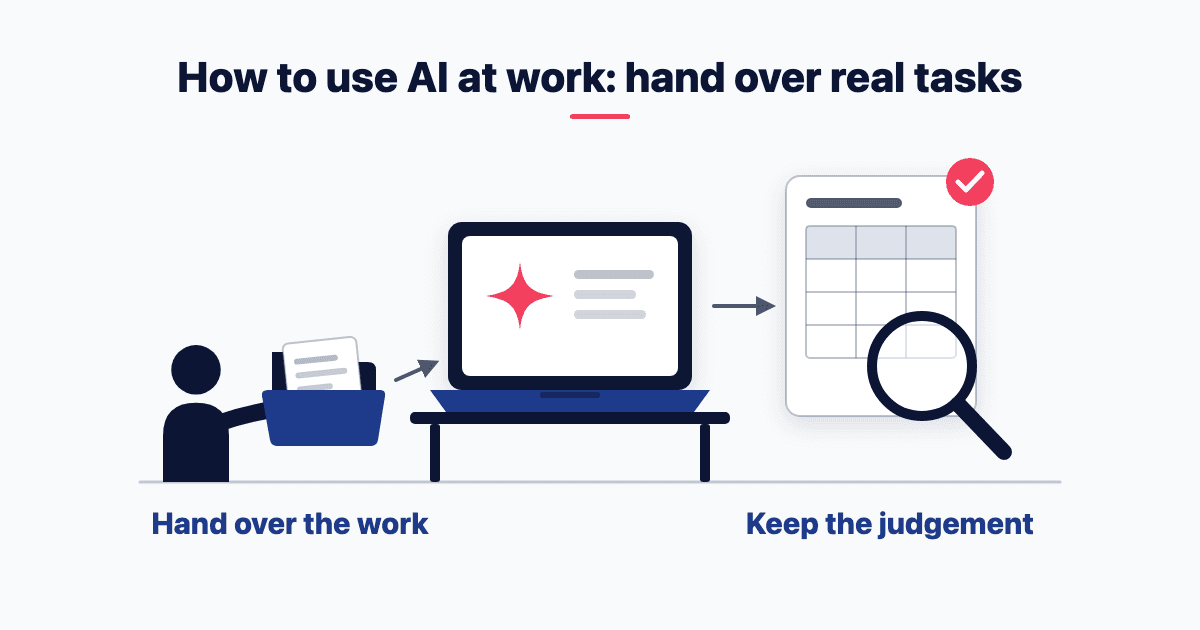
Hand over the work. Keep the judgement. That is how to use AI at work: give it one recurring job that ends in a file. Brief it in five parts: context, steps, what done looks like, when to stop, and how to check itself. Then trace three numbers to their source before it carries your name.
This matters more now, because assistants run whole tasks. On 16 Sep 2026, Anthropic began merging chat and Cowork into one Claude. It said the rollout would take "the next few weeks", and that Team and Free plans "will follow soon".
Indian Claude.ai users delegate more than the global average. They score 3.60 against 3.38 on a 1–5 scale of how much decision-making they hand to AI (Anthropic's India brief). That scale measures how much people hand over, not how well. How well depends on the brief and the check.
What's the difference between asking AI a question and handing it a task?
A question gets text back; a task gets finished work. Anthropic puts it this way: "Chat is a conversation you steer turn by turn. Cowork is a delegation: you describe the goal, Claude works across your files and tools, and you come back to a finished result" (Claude Academy tutorial).
Where the merged Claude has arrived, you don't pick a mode. You ask, and Claude "can decide which tool to use". It is "rolling out gradually, starting with Pro and Max plans" (Anthropic's Help Center).
The brief matters more once the tool acts. I put it this way in my Session 2 sheet: "In chat a bad brief gives a bad answer, and you see it at once. In agent work a bad brief gives a wrong action at step three, and it carries silently into step nine".
The method is plain text, so it should transfer to Microsoft Copilot, ChatGPT Enterprise or Google Gemini. To be candid, I haven't tested every tool. Use whichever your company approved, because "the approved tool beats the better tool". For Claude itself, see how to set Claude up for marketing work.
Which tasks should you hand over first?
The best tasks to delegate to AI come round often and end in something you can open. My default is one recurring job that ends in a file: a review pack, a variance note, a call list, an exception list.
If you have several candidates, score them. My Session 3 sheet uses "Frequency × Time × Repeatability". In plain words: how often the job comes round, how long it takes by hand, and whether it's done the same way each time.
Then ask of each one: if this goes wrong, can I undo it? If not, add a human step.
Stuck for candidates? Try a prompt from my AI 101 primer. List three things you do every week. Then ask "whether AI could draft it, check it, or neither, and what I would still have to do myself".
Before you run anything, write two things down: the baseline minutes, and the check you will run on the output. Without a baseline, you can't tell whether the handover saved anything.
How do you brief AI to do a task? The CLEAR brief
Brief a task with CLEAR. My split is simple: CRISP briefs thinking, CLEAR briefs doing. The CRISP framework for briefing a question gets you a usable answer. A delegation brief needs two things a question never needed: when to stop, and how to check itself.
The five letters, as I define them:
C · Context: "Who am I, what is this job for, which files, who reads the output".
L · List of steps: "The job as numbered steps. It follows a list more reliably than a paragraph".
E · End state: "What 'done' looks like: the exact files, names, tabs, length".
A · Abort conditions: "When to stop and ask, instead of guessing".
R · Review prompt: "How it checks itself before it says done".
A CLEAR brief you can copy
This one is from the same primer, and Asha Clinic is made up. You paste its table of a week's OPD (outpatient department) collections, then this brief:
"Context: every Monday, Asha Clinic's owner wants last week's OPD collections in one note. Steps: add the six days, compare with the week before, name the lowest day. End state: four lines, rupees, no adjectives. Abort: if a day is missing, stop and ask. Review: end with two things I should recheck".
The table leaves out Thursday on purpose. A good run stops and asks for it. Given Thursday's ₹41,500, the week comes to ₹2,35,900, up ₹1,000 on the week before, with Tuesday lowest at ₹21,900. Those are teaching figures. If it added five days and called it a week, that is a silent failure.
The CLEAR brief is from AI in Action, a five-Sunday course I teach at IIM Calcutta. Session 2 ran on 27 Sep 2026. I've trained 2,000+ senior professionals since 2024, a count cumulative across institutions and corporates, in the hands-on AI training I run for teams.
When should AI stop and ask instead of guessing?
It should stop whenever something is missing or two sources disagree. I show why with a chief financial officer's brief in three versions, for a made-up firm, Nivara.
v1: "Do the variance analysis for August with comments".
v2 adds Context, Steps and End state. It returns the right two files, with commentary written on a total that leaves out a row. "It looks finished. That is what makes it the dangerous version".
v3 adds Abort and Review. It reconciles first and flags the error on line one: the workbook shows ₹89.2 Cr, and the right figure is ₹77.3 Cr.
In short: C, L, E get the file. A, R sign it.
Three stop lines worth copying:
The default: "If anything is missing or two sources disagree, stop and ask".
The job-specific one: "If a total in the workbook is wrong, do not correct my file. Put the right figure in yours, and tell me on the first line".
The test for any Abort line: "would this have stopped the last mistake a junior made on this job?"
Work that runs without you needs more: a tighter abort rule, and an output that decides nothing and signs nothing. It is "Ready for review", never "Approved".
Keep the tool asking, too. In the new Claude, the default permission setting is Manual: "Claude asks before it takes actions" (Anthropic's Help Center). Leave it there while you learn.
Which of your data can you hand over? The lane rule
It depends on which of three cases you are in, and on a traffic light. Green is public documents, made-up practice files and your own writing with nothing personal or confidential in it. Amber includes "your plant's or region's own performance numbers". My rule: "Red never goes in. Amber goes in only on a company-approved plan".
Not regulated, not under an NDA (non-disclosure agreement): a personal plan takes green material only. Your own performance numbers wait for an approved plan.
Under a customer's or an OEM's NDA (OEM: original equipment manufacturer): drawings, audit findings and price schedules are the customer's data, even redacted. "Treat yourself as regulated".
Regulated, listed, or your policy says no or says nothing: "Nothing internal enters a personal account. That includes your managers".
Not sure which case? The third one. And owner-managers: you are the policy, and red stays red.
The data rules (what counts as red, and which plans train on your chats) are in my marketing-team training guide. If an agent will log in to your tools, read how to lock down what an agent's login can reach. This is not legal advice.
How do you check AI's work before it carries your name?
Run my ten-minute check, because a confident file is not a correct file.
Ask for proof. For three numbers, it must give "the value, the source file, the tab, and the cell or page".
Trace those three yourself. Open the source and look at each cell.
Ask two judgement questions. First: "Does the biggest number in this file match what I already know from the field…? If not, which of the two is wrong?" Second: "What is the first question my CFO, my CEO or my banker would ask of this file, and does the file answer it?"
Re-add one total. If the totals are typed numbers, not formulas, send one fix.
Read its "could not do" list. "An empty list on a workbook with nine tabs is itself a tell".
I won't repeat the four ways AI work fails here. My point is where to fix them: the best place to handle a failure is the original brief.
Then argue with it: the second pass
"A file is a summary until you argue with it". Change one rule, run the job again beside the first answer, and reconcile the two. In the fictional Nivara pack, a sales head measures forecast accuracy on the company total, then region by region, then dealer by dealer. "98.9% becomes about 91%, then about 88%".
Then sign it, to my standard: "Three numbers traced to source by me. One total re-added by me. Source file, date and tool named on the working paper. Then it carries my name".
"Don't experienced users iterate with AI rather than hand work over?"
They do, and it's the strongest objection to this post. Anthropic's March 2026 Economic Index report compared users who signed up at least six months earlier with everyone else. High-tenure users are "more likely to use Claude to iterate on their work, and much less likely to delegate greater responsibility through directive use patterns". They also succeed more often: about 4 percentage points, after full controls.
That isn't an argument against handing over work. It's an argument against handing over judgement. The Abort line, the check and the second pass are the iteration, built into the job.
Read both Anthropic findings with care. They come from Anthropic's own data on Claude users, and "success" is Claude's own assessment of each conversation. Anthropic notes that the high-tenure users "are self-selected", so the link is an association, not proof. The India score comes from Claude.ai conversations in November 2025. It describes Claude users, not every Indian at work.
What to do this week
Pick one recurring job that ends in a file.
Write down how many minutes it takes by hand today.
Find your lane: case one, two or three.
Write the CLEAR brief, with a real Abort line.
Write the check before you open the output.
Run it in your lane: public or made-up files on a personal plan, your own numbers only in your approved tool.
Trace three numbers and re-add one total.
Run one second pass with one rule changed.
Before you press enter, ask six questions: Context? Steps? End state? Abort? Review? Reversible?
If you'd like your team to practise this on the jobs they actually do, hands-on and in one sitting, invite me to run a session.
Frequently asked questions
Which tasks should you never hand to AI?
Never hand over the decision or the signature. My standard is that the AI "decides nothing and signs nothing". Keep it from ranking or scoring a named person: my course allows people work only on aggregates, in groups of ten or more. Anything that sends, or that you can't undo, needs a human step.
My company has no AI policy. Can I still use AI at work?
Yes, but only with public or made-up material until a company plan is approved. Silence is not permission. In my lane rule, a policy that says nothing counts as case three: "Nothing internal enters a personal account". So send IT a note this week, asking which tool and which data you may use.
Do you need a paid plan to hand AI a real task?
No. "Code execution and file creation is available to all Claude users", Free included (Anthropic's file guide). It's on by default: plain chat returns an Excel file. Cowork "is available on paid plans" (Anthropic's Cowork guide). Longer tasks "generally use more than a quick question" (Anthropic's Help Center), so run one at a time.
How long does checking AI's work take?
About three minutes to trace three numbers and re-add one total, by my course's estimate. That assumes the AI listed each number's file, tab and cell, as step one of the check asks. On a phone, re-adding "is a desk job": do it that evening. No list answers the two judgement questions; those need your business knowledge.
- Delegation
- AI agents
- AI at work
Written by Siddhesh Joglekar
Fractional CMO and AI marketing consultant Siddhesh Joglekar helps founders and growth-stage teams build marketing engines that compound.