AI
How to build a prompt library your team actually uses (and when a prompt should become a skill)
A prompt library your team uses is short, tested and owned. What earns a place, where to keep it as GPTs and Gems change, and when a prompt becomes a skill.

· 8 min read
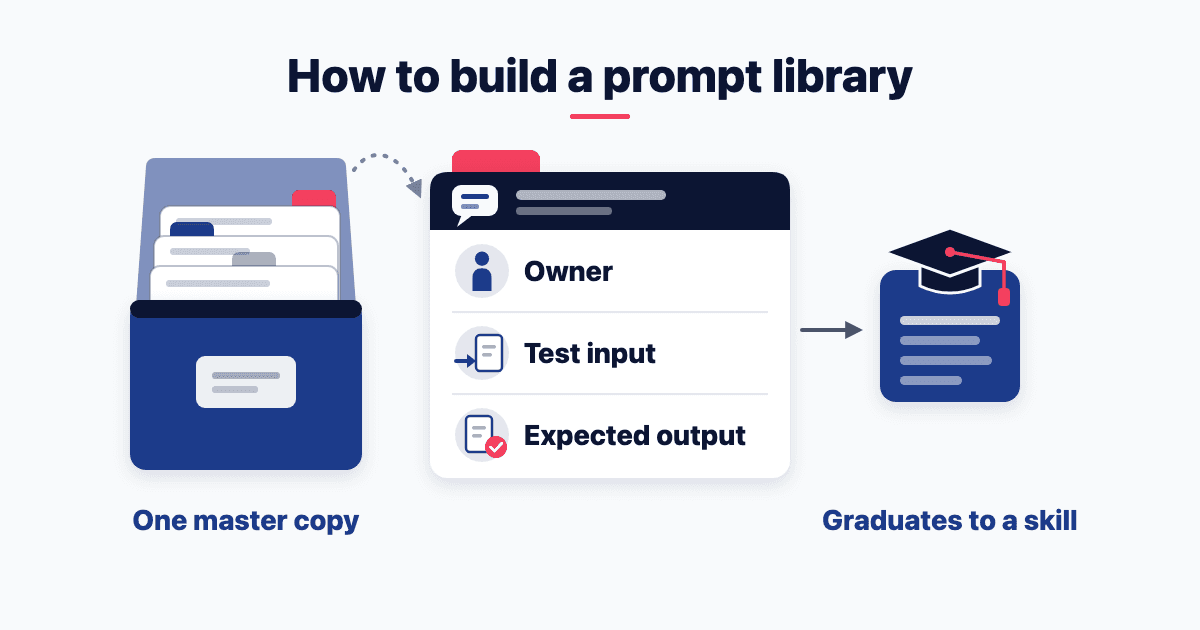
OpenAI plans to retire custom GPTs on 11 December 2026, though it says timing can vary by account and workspace. Google moves Gems to skills for personal accounts on 17 November. To build a prompt library that outlasts both, own the master copy. List your team's repeat jobs, each with an owner, a test input and the expected output.
Anything the team runs every week then graduates to a skill. I teach this step in my AI for Product Managers course at Great Lakes. The 4 October 2026 session, "From Chat Window to System", opens on a familiar question: "I got a good answer once. How do I get it reliably, every time, without rebuilding the prompt?"
What is a prompt library, and why do most go unused?
A prompt library is a shared set of tested prompts for the jobs your team repeats. Each entry has an owner and an example of good output. Libraries that go unused tend to fail in one of three ways:
It lists prompts, not jobs. A hundred saved lines that nobody trusts.
Nobody owns it, so nothing gets tested or updated.
It lives inside one person's tool, and leaves with the tool or the person.
Here's the reframe. A shared library isn't storage for prompts. It's a list of jobs, each with a tested recipe. The sheet from that session (free Google sign-in) puts it in one line: "A system is a good answer you never have to earn twice."
The evidence on payoff is thin: I couldn't find an independent study of shared libraries and team output. So measure your own, with the race below.
What earns a place in your prompt library?
An entry has to pass four tests.
The job repeats, weekly or monthly. A one-off task needs a good brief, not an entry. For where to start, see how to pick the tasks to hand over first.
It has a named owner. OpenAI's guide to moving custom GPTs to plugins asks for the same: "Name an owner for each GPT and record its purpose, audience, instructions, reference files, and integrations."
It has a test input of dummy or public data. My class rule: "no real customer data, no confidential uploads. Labels and public sources only."
It has the expected output saved beside it. OpenAI's guide asks owners to "save a few familiar prompts and good results, including one harder case".
The admission test is the race from the same session: "Same task: blank chat vs your system. Count prompts typed and minutes. Judge on your own rubric." An entry that doesn't beat a blank chat stays out.
What goes on each library entry?
Each entry is a short card: the sheet's skill template, plus four fields a shared library needs.
Skill name: what the team calls it, such as competitive-teardown.
When to use: the trigger, in one sentence.
Inputs needed: what to paste or attach.
Steps: the procedure, numbered.
Output format: the shape of a good answer.
Quality bar: what counts as good enough.
Known edge cases: where it breaks, and what to do.
Owner: one named person.
Version and date: plus a one-line change note.
Test input and expected output: dummy data, and the result that passed.
Tested in: which tools, and when.
The sheet's length rule: "Keep them short enough to survive — ten clear lines beat two pages."
Name entries the way a skill must be named. The Agent Skills specification allows "Lowercase letters, numbers, and hyphens only", up to 64 characters. Write "When to use" like the spec's description field, which "Describes what the skill does and when to use it". Promotion becomes copy and paste.
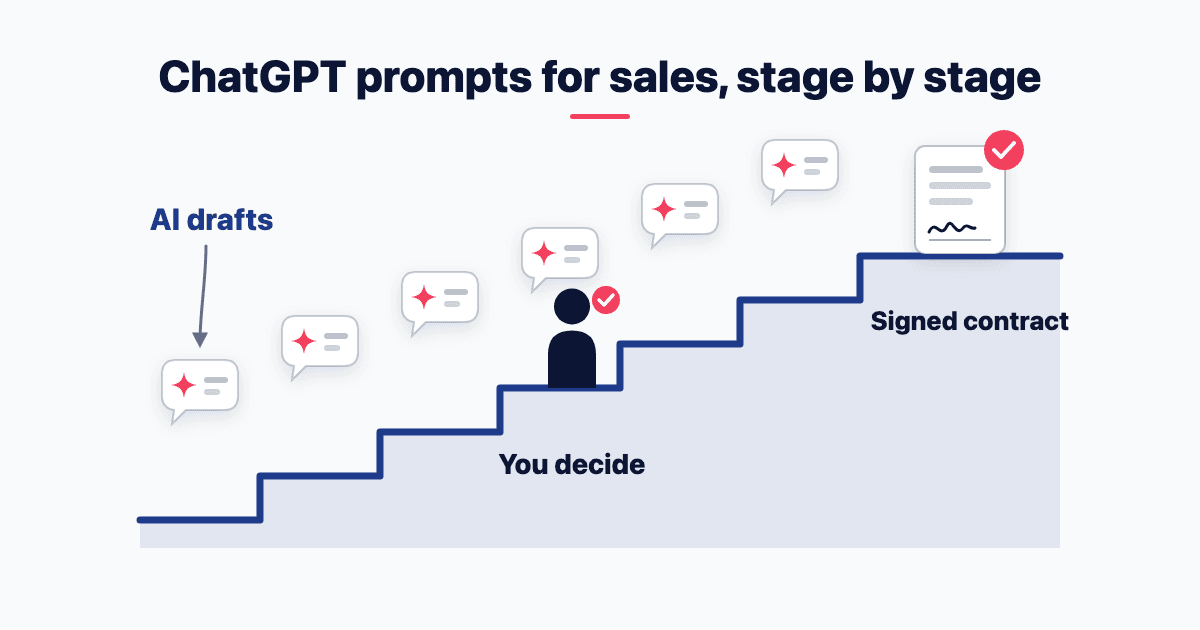
Group entries by stage of work, not by tool. My Superhuman Sales starter pack (free Google sign-in) groups 25 prompts by deal stage, from Research and Meetings to Negotiation, Closing and Daily habit. It "Works with ChatGPT, Claude, Gemini or Copilot."
For writing each prompt, use the CRISP prompt framework. In my applied-AI programmes, including the hands-on AI workshops I run for teams, a session can end with a prompt pack.
Where should a team prompt library live?
Keep one master copy the team owns, somewhere tool-neutral: a shared doc or sheet, or a Git repository for technical teams. Each AI tool's team space is for sharing, not storing. As of 9 November 2026:
ChatGPT. OpenAI's guide says "We're transitioning custom GPTs to plugins". Retirement is "currently scheduled for Dec. 11, 2026", Campus Technology reported on 5 October 2026. Qualifying Enterprise customers with approved deferrals can keep using them until 11 February 2027.
Gemini. For personal accounts, "November 17, 2026: Gems transition to skills and become read only". They are removed on 17 December (Google's Gemini help). Workspace business and enterprise accounts follow "No sooner than March 1, 2027" (Google's Workspace admin help).
Claude. On Team and Enterprise plans, "projects can be shared with other members of your organization" (Anthropic on Projects). Organisation Owners "can provision skills for all users" (Anthropic on skills).
Microsoft 365 Copilot. Its prompt gallery shares custom prompts with a Microsoft Teams team: save a prompt, then "Select Share to team" (Microsoft's steps). The separate Prompt Lab app "has been discontinued from July 2025", and prompts now open inside Copilot Chat (Microsoft's note).
Four vendors, four containers, two being retired.
On a free plan with no shared workspace, keep a pinned text file of context and instructions. Paste it at the start of each chat. The concept is the point.
When should a prompt become a skill or a Project?
My rule of thumb, from how to set Claude up for a marketing team: "the third time you paste the same context, it should have been a Project."
That covers facts. A Project holds what is always true: your brand, your customers, your offer. A skill holds the procedure for one job. The sheet says why that matters: "A skill beats a saved prompt because it carries judgement and edge cases. Test it on a second input before you trust it."
So promote entries by how they behave:
Weekly, stable steps, passes on a second input: package it as a skill.
The same facts pasted into every run: move them into a Project.
Monthly or less: keep it as a library entry.
Cards written this way travel. Anthropic says "the same skill format works across AI platforms and tools that adopt the standard". Google says "Skills use the open, Markdown-based SKILL.md format". OpenAI says "Skills build on the open agent skills standard".
Where skills run still varies. Claude's skills feature "requires code execution to be enabled" (Anthropic on skills). That setting lets Claude write and run code in a private space of its own (Anthropic's help on creating files). ChatGPT runs standalone skills in its desktop app and coding tools, and skills inside plugins on the web too (OpenAI's skills guide).
How do you keep the library alive?
Version every entry with a date and a one-line change note. Re-run its test input after every edit, and after every switch of model or tool. OpenAI's migration advice works for any library: "Rerun your important tests after each change." It also warns that "A migrated plugin may respond differently from the original GPT".
Let usage decide what stays. Microsoft Learn says admins can track "The saved, liked, and shared prompts of a specific user". ChatGPT admins with its admin plugin can request "GPT names, owners, and message counts from the last 30 days" (OpenAI's guide). Archive any entry nobody ran in a quarter, or one that fails its test.
Set a review floor. A UK accountancy body's guide, citing a trainer, says a system "should be revisited and reviewed at least once a year".
What to do this week
List the five jobs your team repeated most last month. Five is a starting size, not a rule.
Write a card for each: owner, dummy test input, expected output.
Run the race against a blank chat. Keep only the winners.
Keep the master copy in one shared doc, and share from it into your tool.
Using Gems or custom GPTs? Before the dates above, download each Gem's knowledge files and save familiar prompts and results from each GPT.
If your team keeps rewriting the same prompts, invite me in for an AI training session. We'll build your first tested entries together, on your repeat jobs.
Frequently asked questions
Should we still build a custom GPT for our business?
Not a new one. OpenAI is moving custom GPTs to plugins, and Campus Technology reports that retirement is "currently scheduled for Dec. 11, 2026". Migration turns its instructions into a skill, but custom actions and the selected model don't carry over. So build the workflow as a skill, starting from a tested library entry.
What happens to our Gemini Gems?
They become skills. Google says it will "automatically transition your Gems to skills for you when Gems go away" (Google's Gemini help). But "Some files will not carry over", including audio, video and older Office formats. Personal accounts can download Gem files before 17 December 2026, so save knowledge files and copy instructions first.
Can we keep our prompt library on GitHub?
Yes, if your team already works in Git. The open standard describes skills as "portable, version-controlled folders" (Agent Skills). OpenAI's skills guide says its Codex coding agent reads skills from "repository, user, admin, and system locations". Teams that don't use Git get the same discipline from a shared doc with a dated change note on every entry.
Is there a free prompt library we can start from?
Yes, inside tools you may already use. Microsoft 365 Copilot offers "universal Microsoft-curated prompts" that are "visible to everyone in your organization" (Microsoft's page on saving prompts). Claude has a Skills Directory of "professionally-built skills from partners" (Anthropic on skills). Add one to your own library only after it passes your test input.
- Prompts
- Team training
- AI at work
Written by Siddhesh Joglekar
Fractional CMO and AI marketing consultant Siddhesh Joglekar helps founders and growth-stage teams build marketing engines that compound.