Marketing
How to add your clinic on Google Maps: a Google Business Profile guide for doctors, reviews included
How to add your clinic on Google Maps: verify a free Business Profile, list fees and hours as facts, and reply to reviews within India's medical rules.

· 11 min read
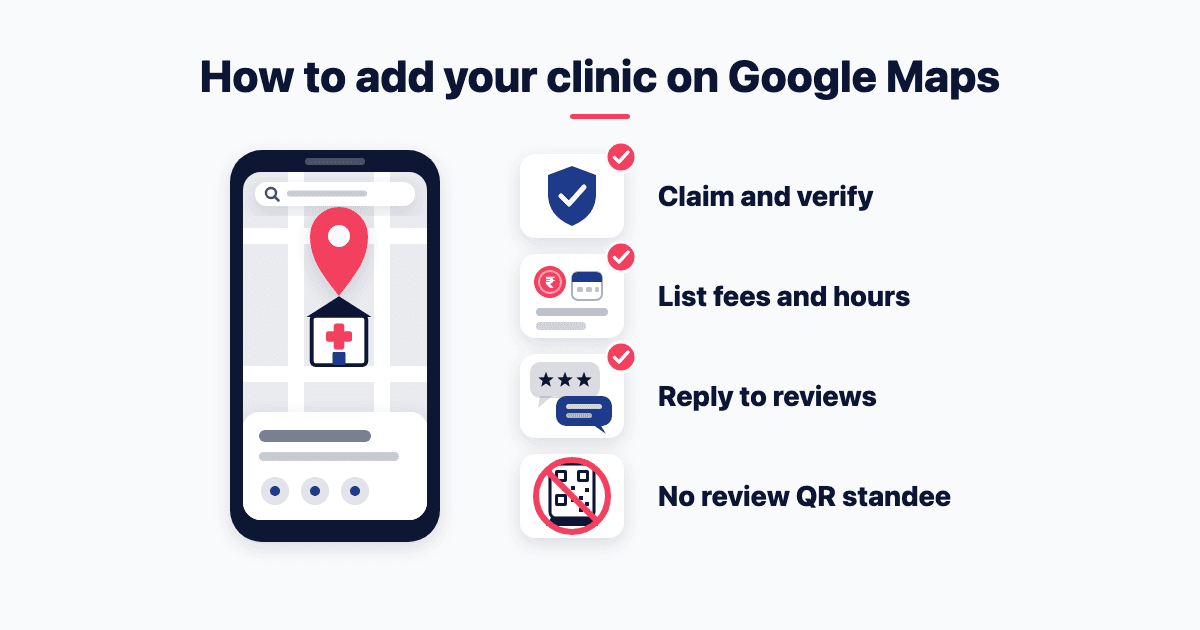
Adding your clinic can bring up Google's ownership message: "Someone else may manage this Business Profile." To add your clinic on Google Maps, verify a free Business Profile in the clinic's own account. List plain facts, and reply to reviews without confirming anyone is a patient. Until the National Medical Commission (NMC) clarifies its 6 October 2026 guidelines, don't ask for reviews.
Should you list the clinic, the doctor, or both?
It depends on the set-up. Google's business guidelines say "Doctors, dentists, lawyers" and others "are all individual practitioners".
A doctor gets their own listing only if "They operate in a public-facing role" and "can be contacted directly at the verified location during stated hours". Support staff get none, and nobody gets one per specialty.
Four set-ups, using a made-up clinic, Asha Clinic:
One doctor, clinic in their name: one profile, named as on the board.
One doctor at a branded clinic: one profile, "[brand/company]: [practitioner name]", such as "Asha Clinic: Dr Rao".
Several doctors: a clinic profile, plus one per doctor patients see, with "only the name of the practitioner".
A hospital: departments may have their own profiles.
Only recognised degrees and diplomas go after a name (2002 conduct regulations, 1.4.2; for dentists, 2014 Dentists Code, 3.4.2).
My reading, not a ruling: a facts-only doctor profile is close to a hospital's doctor directory. The NMC's clause 9.1 calls that "materially distinct from a paid or promotional advertisement" (pages 10–11).
How do you add your clinic on Google Maps and verify it?
Use the clinic's own Google account, not a receptionist's Gmail. Staff leave. Only "business owners or authorized representatives" may manage it (ownership rules).
Search Maps first. Unverified profile? Select "Claim this business". Verified by someone else? Request ownership: the owner "has 3 days to respond". None? Go to business.google.com/add.
Enter the exact address, with "permanent fixed signage" of the clinic's name there. Add landmarks only where the street address "doesn't accurately pinpoint the business's location". If Google can't find it, pin the clinic on the map.
Verify. Google picks the method, and it "can't be changed" (verification page). Waiting for a postcard? Don't edit the name, address or category. Codes "expire after 30 days", and verification checks "take up to 5 business days".
On a video check, hide patient records. Google may ask to see "non-sensitive business documents". Keep patient files, the out-patient (OPD) register and screens out of frame.
Agency helping? Make them a manager. Clients "must retain ownership or co-ownership of their Business Profile at all times" (third-party policy). The verification page adds: "Do not share the verification code with anyone". Practise alone? Clause 8.1(ii) bars a doctor from engaging "any third party for marketing medical services" (page 8), so hiring help is an open question for doctors.
For dentists: keep the board modest, just enough "to indicate to persons seeking the exact location of, and entrance to, the premises" (Code 8.1.5).
What should your clinic's profile say?
Several fields answer to two rulebooks: Google's and your profession's. Field by field:
Name. The real-world name only. Extra words "could result in the suspension of your Business Profile". Google bans "Marketing taglines", "Service or product information" and "Location information". So "Best Painless Dental Care Near Station" fails three times.
Name, for doctors. Clause 8.1(iii) names "Best doctors" and "painless treatment" (page 8). Clause 8.1(ix) bars "best", "leading" and "top" unless "objectively verifiable" (page 9).
Name, for dentists. Code 8.2.8 says a listing "on the internet is permissible", but "any claim to superiority" is unethical. Call it a "dental clinic" (8.10), not a hospital, unless it offers in-patient surgical care.
Category. "Use as few categories as possible", and "Do not use categories solely as keywords". Pick the most specific match for your specialty.
Phone and website. A reception number "under the direct control of the business". Not a Facebook page as the website. Google bars URLs that "refer" users to landing pages "other than those of the actual business, including pages created on social media sites".
Hours. Businesses "that operate only by appointment" shouldn't list hours. My reading, as Google doesn't name clinics: list the OPD hours when you're staffed, and mark holidays.
Fees. Use the services list, which takes "descriptions and prices" (services page). Not the description, which mustn't "Focus on special promotions, prices". List the consultation fee plainly. Skip "From ₹499 only", "free check-up" and Offer posts: clause 8.1(x) bars offers and free procedures that solicit patients (page 9). Full fee rules for doctors and dentists: the doctors' marketing guide.
Description and updates. Plain facts. For the description, "No links of any type". Explanation IV asks a clinic's electronic posts to name each doctor "with qualifications, registration status and SMR/NMR Registration number" (page 4). That's the State or National Medical Register number. I'd treat the description and updates that way. In updates, post plain news, like the "factual, non-promotional" announcements in clause 9.3: a new address, an absence, a resumption.
Which photos can a clinic post?
Google leaves the medical rules to you: "You're also responsible for your posted imagery to comply with all applicable laws and regulations" (photo policy).
Post: the entrance and signboard, reception, the waiting area, and equipment as facts, with no "claims of superiority" (Explanation II, page 4).
Never post: anything that identifies a patient (clause 7.4, page 7), or before-and-after pictures (see the before-and-after rule). For dentists: the National Dental Commission's 14 October advisory lists "publishing patient testimonials and before-and-after photographs" as a concern.
Still open: the doctor's photo. Clause 9.2 bars it "where such use constitutes self-advertisement, solicitation or promotional publicity" (page 11). On a signboard or letterhead it counts as self-advertisement (2002 regulations 6.1.2; dentists' Code 8.3.1). Whether a plain profile photo counts isn't settled. Post clinic photos, not portraits.
Can doctors ask patients for Google reviews?
Here Google and the NMC part ways. Google's review-link page says "Print and display the QR code in your store", and suggests WhatsApp requests too. Its review guide says "Positive reviews provide helpful testimonials for your business".
Explanation V (page 4) first bars doctors and hospitals from soliciting "fake, paid or misleading patient reviews". Then it adds a line for each registered medical practitioner (RMP):
"An RMP shall not request or share patient testimonials, recommendations, endorsements or reviews for professional promotion on social media."
Google's own content policy already bars, for everyone: incentives, choosing to "selectively solicit positive reviews", pressure "while on the premises", asking for "specific content", staff review quotas, and reviews from staff or family. Some clinic guides found in a web search want a desk QR code scanned as patients leave. That can run into Google's own line.
The open question. That line covers "social media": sites and apps that let users "create, share and join online communities" (clause 3.6, page 5). Whether Google Maps counts hasn't been clarified. Until it is, the conservative reading: a doctor doesn't ask for reviews, or share them as testimonials. In a solo clinic, clinic and doctor are one, and clause 8.1(xi) bars using a third party "to do indirectly" what's banned directly (page 9). That covers staff, agencies and automated WhatsApp messages.
For dentists: the 2014 Code doesn't mention reviews. Its only "testimonials" are ones a dentist gives: "giving false certificates or testimonials" is unethical (8.9.2). The dental advisory flags "publishing patient testimonials". So never repost reviews. The doctors' rules may not bind you, but as a benchmark they mean not asking. If you ask anyway, Google's limits apply: everyone alike, nothing offered, no pressure at the clinic.
A coaching institute can ask every family for an honest review. A doctor answers to a stricter rulebook.
The objection: reviews help ranking. True, "More reviews and positive ratings can help" (Google's ranking page). But "There's no way to request or pay for a better local ranking on Google". For a doctor, reviews are earned and answered, not collected. Accurate facts are the lever you control.
This is a reading of published rules, not legal advice. For the full list, see what the NMC's October rules ban, clause by clause.
How should a doctor reply to a Google review?
You can reply once the profile is verified (review guide). Replies are public, but "your personal name won't be shown".
The hard part is what you can't say. Patient confidences "should never be revealed" unless the law requires it (2002 regulations, 2.2; for dentists, Code 4.2). Clause 7.4 bars patient data "which can be identified publicly". Google's content policy counts "medical information" as personal information.
So adapt Google's reply tips. Keep "Be conversational, not promotional". Drop "Address the reviewer by name and acknowledge their specific feedback". Thanking someone for their root canal confirms a patient and a treatment.
Four rules:
Don't confirm the person is a patient.
Don't name a treatment, even if the review does. For "certain service businesses", Google may ask reviewers which service they had, from your service list. It doesn't say if clinics are included.
Don't argue.
Ask them to call the clinic, so it's resolved privately.
Asha Clinic comes from my KimsEducation AI 101 session sheet of 7 October 2026. In one demo, it gets a two-star review: a long wait, and nobody said the doctor was running late. The sheet asks AI for short, polite replies with no patient details, no treatment and no arguing. Then it asks what you would verify, including whether the wait really happened, before anyone apologises.
An example reply for the made-up clinic:
"Thank you for telling us. Nobody should wait without an update when a doctor runs late. We're looking at how our front desk keeps people informed. Please call the clinic so we can hear more."
Drafting with AI? Clause 7.2(d) holds patient information fed to AI to "privacy, confidentiality, data-protection and professional-ethics requirements" (page 7). If an agency replies for you, Google requires your "explicit approval". Ask it where your patients' data goes, too.
Can you get a fake or unfair review removed?
Only if it breaks Google's policy. Google's reporting page says you can report any review, "but only those that violate Google policies are eligible for removal".
Fake engagement, conflicts of interest, a competitor's attack and personal information qualify. But Google allows "content that describes negative experiences in a respectful manner". An honest bad review stays.
Report it from the profile. Evaluation "typically takes several days", and a rejected report gets "a one-time appeal". Extortion looks like a "sudden increase in 1-star and 2-star reviews", then a demand for money. Google's advice: "Do not engage with or pay the malicious individuals".
Never bury a bad review under bought ones: Google and clause 8.1(xii) both bar fake "reviews, ratings" (page 9). The real fix is a good reply, and fixing the cause. "Customers can still change their review after reading your reply".
What to fix on your profile this week
Claim or create the profile in the clinic's own account.
Choose the set-up: clinic, doctors, or both.
Make the name match the board.
Set OPD and holiday hours.
Add services with plain fees, and each doctor's registration number to the description.
Swap portraits and patient photos for clinic photos.
Reply to your last five reviews without confirming a patient. Remove any review QR standee.
Check what AI assistants say about your timings and fee (digital marketing for doctors in India shows how).
Rather not do this yourself? For a dental clinic, or a clinic with several doctors, I can set up your Google profile, website and factual patient information (fees, timings, registration). The fee is flat, never per patient, lead or booking, and the profile stays in your name. If you practise alone, read whether a doctor may hire marketing help first. Book a call, or see my organic marketing services.
Frequently asked questions
Why is my Google Business Profile not showing?
Check four things, in order. Is it verified? Verification reviews "take up to 5 business days". Is it suspended? A stuffed name "could result in the suspension of your Business Profile". Is there a duplicate? Google says "There should only be one profile per business". Then ranking: results are "mainly based on relevance, distance, and popularity".
Is a Google Business Profile free for a clinic?
Yes. Google says "You can add or claim your business at no charge". An agency may charge to manage it, but must tell you that "Business Profile is a service provided at no extra cost". Google also bans agencies from promising "top placement". Pay a flat fee for the work, never per patient (NMC clause 8.1(viii)).
Can I ask a patient to change or delete a bad review?
Never offer anything for it: Google bans incentives for the "revision or removal of a negative review". Asking also sits uneasily with Explanation V's line against requesting reviews. Reply politely, fix the cause, and offer a call. Google notes that "Customers can still change their review after reading your reply". Let the patient decide.
How do I add a hospital, not just a clinic, on Google Maps?
Add the hospital with the same steps, then its departments. Google's guidelines say "Publicly-facing departments that operate as distinct entities should have their own page". Each needs a different name and its own category. Google's example is "Massachusetts General Hospital Department of Dermatology". Doctors who see patients there can have listings too, under the practitioner rules above.
- Clinic marketing
- Doctors
- Google Business Profile
Written by Siddhesh Joglekar
Fractional CMO and AI marketing consultant Siddhesh Joglekar helps founders and growth-stage teams build marketing engines that compound.